macOS menu-bar app

Make every button on your dictation handset do something — in every app.

Turn a Nuance PowerMic (or any USB mic or foot pedal) into a programmable controller for your Mac. Per-app profiles, one-click dictation setup, and ready-made templates.

macOS 14 or later. Works with Nuance PowerMic II / III / IV and other USB HID devices.

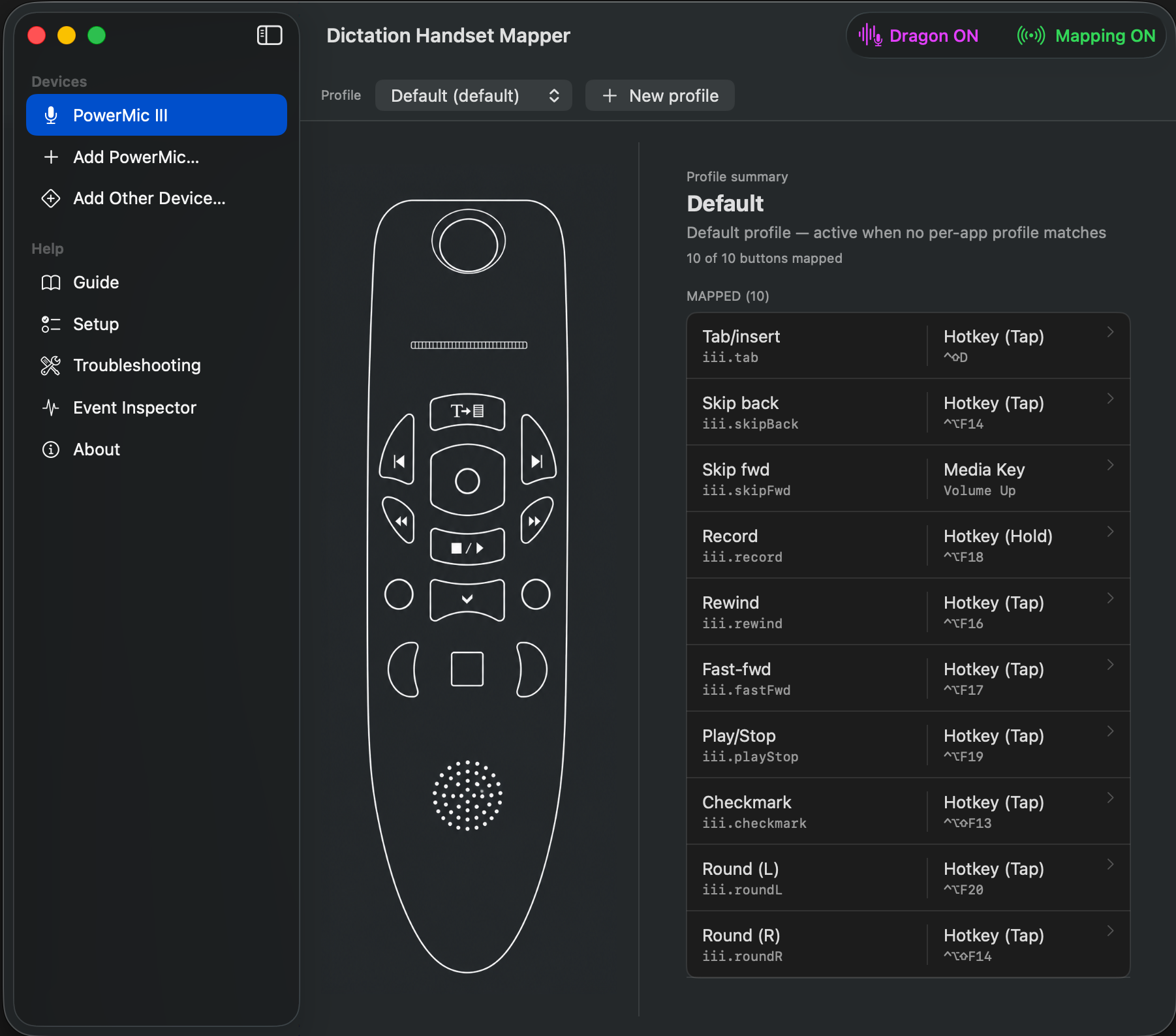
Dictation Mapper main window — PowerMic line-art on the left, profile summary on the right, green Mapping ON in the toolbar
The problem

The Nuance PowerMic is a fantastic dictation handset — but on a Mac its buttons only work inside Dragon. Everywhere else they're dead, and Karabiner can't remap them. Dictation Mapper grabs that interface directly, so every button can do anything — and do something different depending on which app is in front.

Features

One handset. Eight kinds of action. Per-app, automatically.

Per-app profiles

The same button does different things depending on the frontmost app. Profiles switch automatically.

Different dictation per app

Record fires Claude's built-in dictation in Claude, Wispr or Apple Dictation elsewhere, Dragon in your EHR.

Quick-start templates

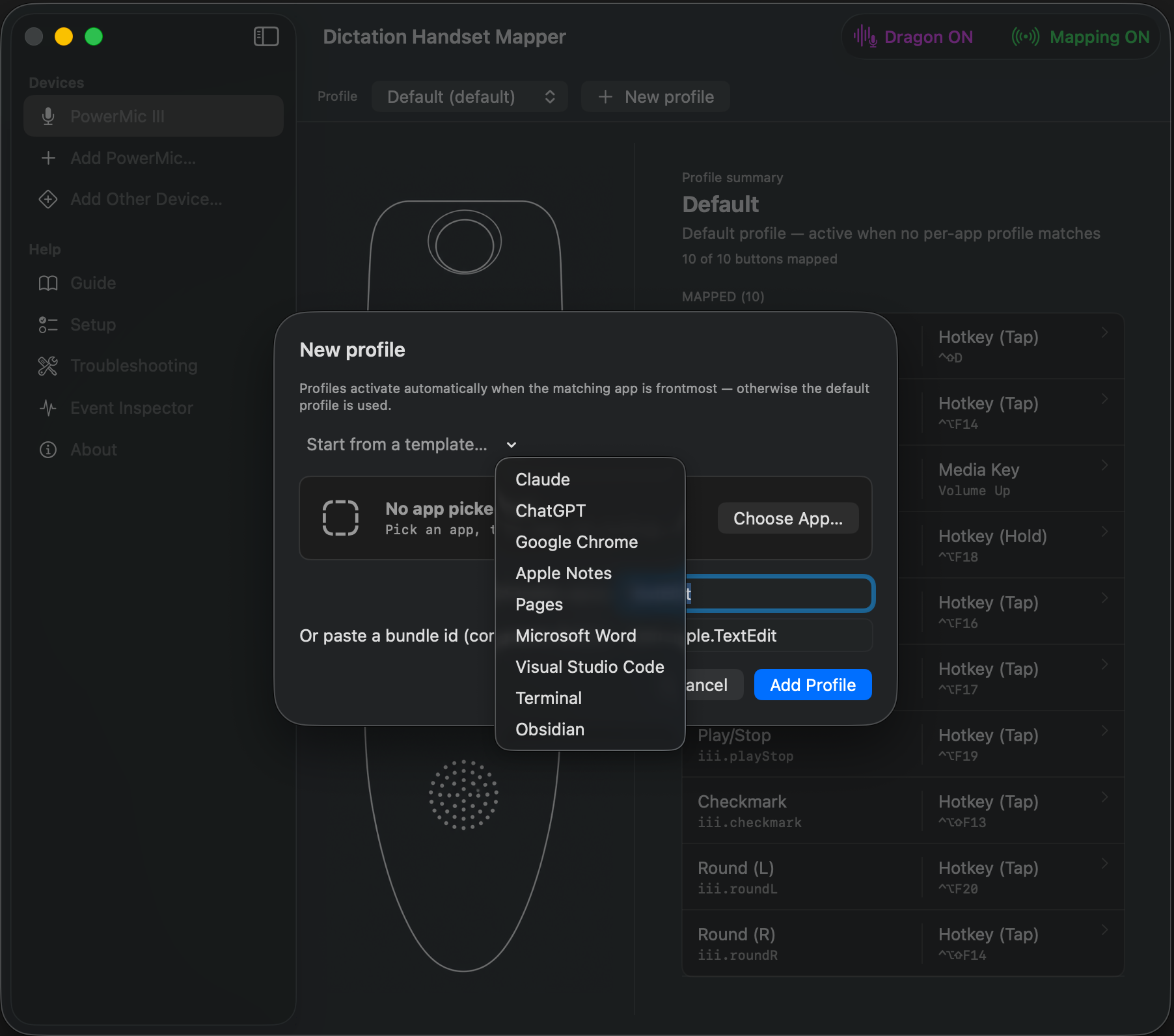
One-click profiles for Claude, ChatGPT, Chrome, Notes, Pages, Word, VS Code, Terminal, and Obsidian.

One-click dictation setup

Sets the system Dictation shortcut for you — no digging through System Settings.

8 action types

Keyboard shortcut, multi-key macro, type text, launch app, run a Shortcut, shell script, media keys, or nothing.

Status-LED control

Lights the handset's record LED while active, or only while you hold record — a live "I'm dictating" cue.

Dragon Passthrough

One toggle makes every button speak Dragon's language for Hyperspace / Dragon Medical.

Any USB device

Probe a foot pedal, Stream Deck, or remote and map its buttons the same way.
The magic

One mic, the right dictation everywhere.

Profiles activate by frontmost app, so the same physical record button triggers a different dictation engine depending on what you're using. You never think about it — you just press record.

RecordClaudebuilt-in dictation
RecordChrome · NotesWispr / Apple Dictation
RecordYour EHRDragon
Use cases

Built for people who dictate all day.

The clinician

Dictate in Dragon inside the EHR, switch to Claude to draft a letter, jot in Apple Notes — same record button, right engine every time.

Push-to-talk

Hold record for Wispr Flow; let go to stop. Hands stay home on the keyboard.

Power editing

Transport buttons become undo/redo, find, and command palette in VS Code; back/forward and new-tab in Chrome.

Foot-pedal dictation

Map a USB pedal to push-to-talk so your hands never leave the keyboard.

How it works

Three steps to programmable buttons.

1

Plug in & grant access

Plug in your handset; grant Input Monitoring + Accessibility once.

2

Map or pick a template

Click a button on the on-screen handset and choose an action, or start from a built-in app template.

3

Toggle Mapping ON

Your buttons now fire your mappings, automatically per app.

Screens

See it in action.

New profile sheet with the Start-from-a-template menu open
TemplatesOne-click profiles for Claude, ChatGPT, Chrome, Notes, Pages, Word, VS Code, Terminal, and Obsidian — pre-wired to each app's real shortcuts.
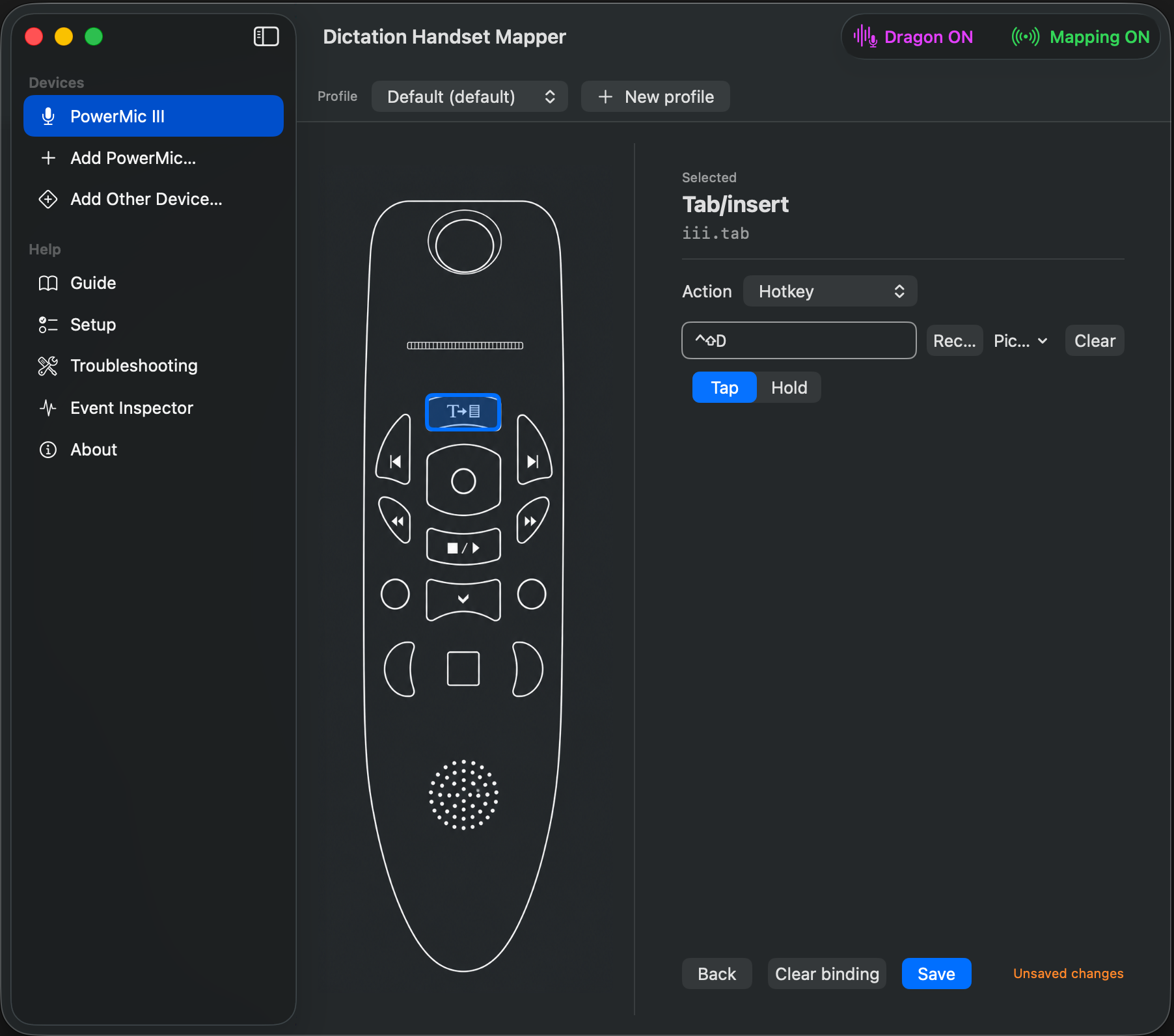
Mapping editor with a button selected and the Hotkey action editor
Mapping editorClick a button on the on-screen handset, pick an action, set a hotkey, and choose Tap or Hold.
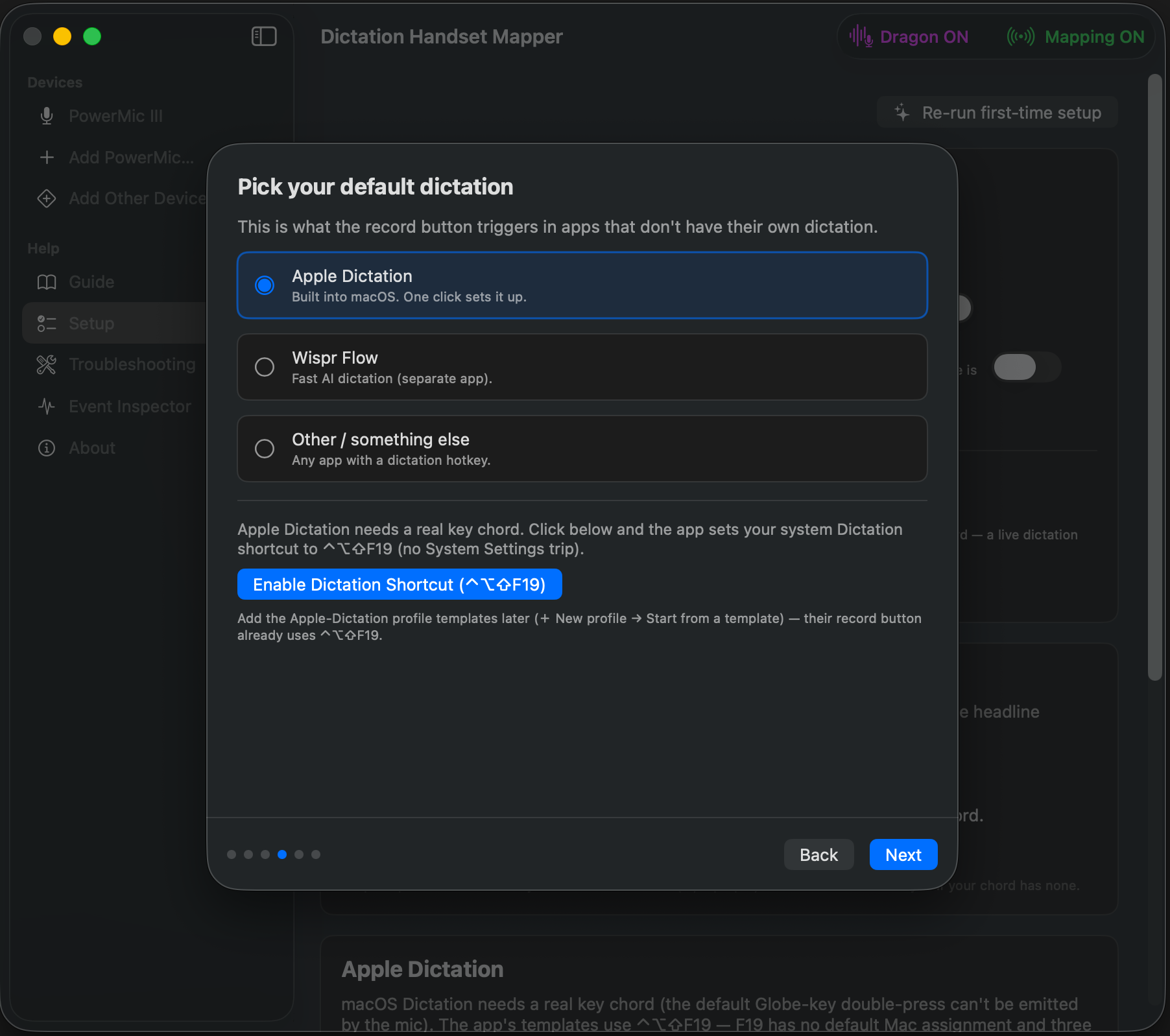
Onboarding wizard — Pick your default dictation with the one-click Apple Dictation button
OnboardingPick your default dictation; one click sets the system Dictation shortcut — no System Settings trip.
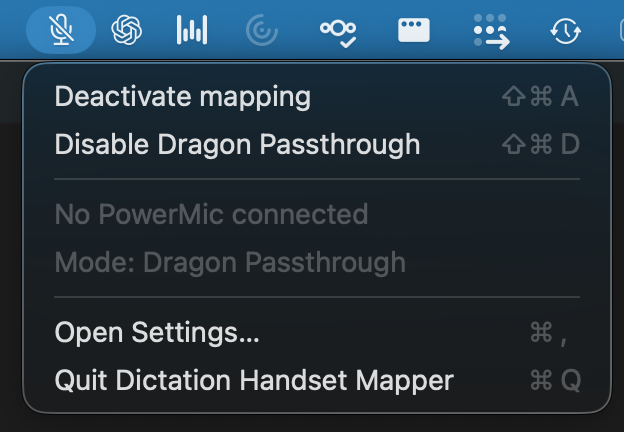
Menu-bar dropdown showing the connected device and the Mapping toggle
Menu barToggle mapping, switch Dragon Passthrough, and see your connected device at a glance.

Download for macOS

macOS 14 or later. Works with Nuance PowerMic II / III / IV and other USB HID devices.

Free 14-day trial, every feature included. Keep it with a one-time license — no subscription.

Download for macOS

First launch: right-click → Open (the app is signed but not yet App-Store distributed). Grant Input Monitoring and Accessibility when asked.

FAQ

Questions, answered.

Does it work without Dragon?

Yes — that's the point. Dragon isn't required.

Which devices?

Nuance PowerMic II / III / IV, plus any USB HID device you probe.

Is my Dragon setup affected?

No — there's an optional Dragon Passthrough mode if you want it.

macOS version?

macOS 14 (Sonoma) or later.